
SUPERCHARGE YOUR OPERATIONS WITH THE RIGHT SUPERMARKET BILLING SOFTWARE

Elevate your small business with supermarket software that features a comprehensive POS, inventory, purchase, vendor management system, accounting system and CRM (Customer Relationship Management) for supermarket outlets.


Schedule a Software Demo

If you are looking for POS Hardware like Touch POS Machine, Thermal Printer, Cash Drawer, Barcode Printer and Scanners, etc, We are here to help you on the same aswell.

Get A Quote Now

Join The Businesses Powered by Essor POS

What is a Supermarket Billing Software?

Supermarket billing software is a business management tool that helps retailers manage their inventory, purchase, cashflows and payments. It provides an all-in-one solution for small, medium, and large supermarket chains. It handles all your business processes from sales, purchases to inventory and accounting so you can concentrate on growing your business.

Supermarket Billing System Features

Device Agnostic Supermarket POS Software

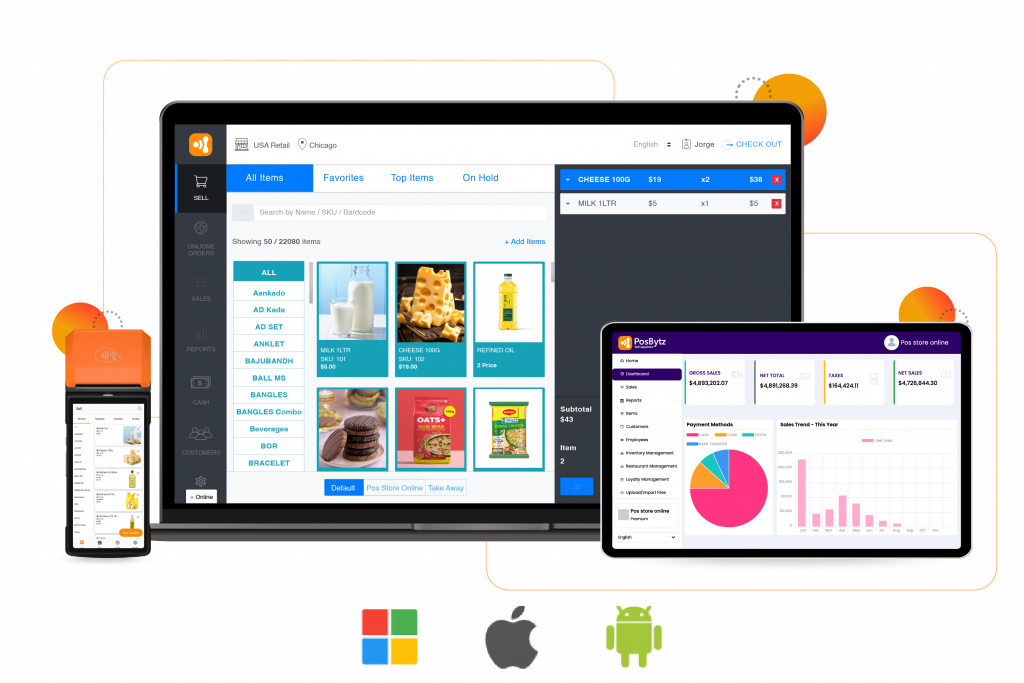
No matter where your customers are, you can use our device-agnostic billing software for supermarket shop to process transactions and track and manage inventory. Our Supermarket POS  software is compatible with most mobile devices, allowing you to access it from anywhere.

  • Access your data from any device and make changes to your system using our software.
  • Install in any device – Windows , Android and IOS
  • Free POS billing software
  • Works offline without internet
  • Easy to use with fast checkout using keyboard shortcuts

POS Inventory Management

Our POS Inventory Management feature helps you keep track of all your inventory without any hiccups. You can easily add new items, edit old ones and view reports about your stock so that you know exactly what to expect when you need something.

  • Automatically updates inventory levels in real-time.
  • Batch and expiry management of stocks
  • Establish an expiry date for each SKU in each batch, which can be set by the customer or by you as the seller.
  • Set up an expiry date for each batch based on your process flow, or choose to use a standard expiration date that applies to all batches.
  • Create multiple batches to manage the variable MRP, stock, and product expiry date based on batches.
  • Track expiry dates of SKUs batch-wise with notifications.

Multiple Outlet Management

You don’t have to be limited by the number of stores you own! With our multiple outlet management feature, you can manage multiple outlets in one place, so there’s no need for separate systems or accounts—just one easy-to-use interface that keeps everything organized and simple.

  • Manage all your outlets with ease.
  • Essor works great for all your branches, whether you run a single restaurant or an entire chain.
  • It’s easy to control the menu, pricing, inventory, and staff access across all your outlets from one platform.
  • Transfer stocks between multiple outlets.

  • Manage multiple warehouses and outlets using one software

Weight Scale and Barcode Integration

The Essor weight scale integration will update the price and quantity on the sale screen in real-time, allowing seamless integration into the Supermarket billing software with barcode. Essor currently integrates with various hardware that supports serial communication, making it a versatile tool for any business.

  • Essor integrates with the Hardware, which supports serial communication.
  • Essor updates the price and quantity on the sale screen in real time.
  • Everything is integrated directly into the Point of Sale.
  • Scan barcodes with weights and item SKU to add to cart instantly with Supermarket billing software with barcode reader.

Accounting system

Essor accounting system is a set of procedures and tools used by supermarkets  businesses and organisations to manage financial information and transactions.

Some of the key features of an accounting system include:

  • General Ledger: The General Ledger is the central repository of all financial transactions for the organisation. It includes all accounts related to assets, liabilities, equity, revenue, and expenses.
  • Accounts Receivable: This feature tracks money owed to the organization by customers or clients. It includes invoicing, payment processing, and managing overdue accounts.
  • Accounts Payable: This feature tracks money owed by the organization to vendors or suppliers. It includes invoice processing and managing outstanding balances.
  • Bank Reconciliation: This feature ensures that the organization’s records match those of the bank, identifying any discrepancies and resolving them.
  • Financial Reporting: This feature generates financial reports that provide insight into the organization’s financial performance, such as income statements, balance sheets, and cash flow statements.
Device Agnostic

Device Agnostic Supermarket POS Software

No matter where your customers are, you can use our device-agnostic billing software for supermarket shop to process transactions and track and manage inventory. Our Supermarket POS  software is compatible with most mobile devices, allowing you to access it from anywhere.

  • Access your data from any device and make changes to your system using our software.
  • Install in any device – Windows , Android and IOS
  • Free POS billing software
  • Works offline without internet
  • Easy to use with fast checkout using keyboard shortcuts
Inventory Management

POS Inventory Management

Our POS Inventory Management feature helps you keep track of all your inventory without any hiccups. You can easily add new items, edit old ones and view reports about your stock so that you know exactly what to expect when you need something.

  • Automatically updates inventory levels in real-time.
  • Batch and expiry management of stocks
  • Establish an expiry date for each SKU in each batch, which can be set by the customer or by you as the seller.
  • Set up an expiry date for each batch based on your process flow, or choose to use a standard expiration date that applies to all batches.
  • Create multiple batches to manage the variable MRP, stock, and product expiry date based on batches.
  • Track expiry dates of SKUs batch-wise with notifications.
Multiple Outlet Management

Multiple Outlet Management

You don’t have to be limited by the number of stores you own! With our multiple outlet management feature, you can manage multiple outlets in one place, so there’s no need for separate systems or accounts—just one easy-to-use interface that keeps everything organized and simple.

  • Manage all your outlets with ease.
  • Essor works great for all your branches, whether you run a single restaurant or an entire chain.
  • It’s easy to control the menu, pricing, inventory, and staff access across all your outlets from one platform.
  • Transfer stocks between multiple outlets.

  • Manage multiple warehouses and outlets using one software
Weight Scale and Barcode Integration

Weight Scale and Barcode Integration

The Essor weight scale integration will update the price and quantity on the sale screen in real-time, allowing seamless integration into the Supermarket billing software with barcode. Essor currently integrates with various hardware that supports serial communication, making it a versatile tool for any business.

  • Essor integrates with the Hardware, which supports serial communication.
  • Essor updates the price and quantity on the sale screen in real time.
  • Everything is integrated directly into the Point of Sale.
  • Scan barcodes with weights and item SKU to add to cart instantly with Supermarket billing software with barcode reader.
Accounting System

Accounting system

Essor accounting system is a set of procedures and tools used by supermarkets  businesses and organisations to manage financial information and transactions.

Some of the key features of an accounting system include:

  • General Ledger: The General Ledger is the central repository of all financial transactions for the organisation. It includes all accounts related to assets, liabilities, equity, revenue, and expenses.
  • Accounts Receivable: This feature tracks money owed to the organization by customers or clients. It includes invoicing, payment processing, and managing overdue accounts.
  • Accounts Payable: This feature tracks money owed by the organization to vendors or suppliers. It includes invoice processing and managing outstanding balances.
  • Bank Reconciliation: This feature ensures that the organization’s records match those of the bank, identifying any discrepancies and resolving them.
  • Financial Reporting: This feature generates financial reports that provide insight into the organization’s financial performance, such as income statements, balance sheets, and cash flow statements.

Advance Discounts

An advanced discount module in supermarket billing software can offer several features to manage all offers with Supermarkets given the number of discounts and complexity.

  • Item-based Discounts: This feature allows you to set up different discount levels based on the quantity of products purchased. For example, if a customer buys 10 items, they receive a 10% discount, but if they buy 20 items, they receive a 20% discount.
  • Time-Based Discounts: This feature allows you to offer discounts for a limited time. For example, you could offer a discount for the first week of a new product launch.
  • Coupon Codes: This feature allows you to create unique codes that customers can use to receive a discount. Coupon codes can be customised to specify the discount percentage or amount, validity period, and the products or categories to which they apply.
  • Customer-Specific Discounts: This feature allows you to create personalized discounts for specific customers. For example, you could offer a discount to a customer who has previously purchased a certain product.
  • Product Bundles: This feature allows you to group products together and offer them at a discounted price. For example, you could offer a “starter kit” that includes several related products at a discounted price.
    Order-level discounts: This feature allows you to set a minimum purchase amount or quantity for customers to qualify for a discount. For example, customers may need to spend a minimum of $50 to receive a 10% discount.

Reasons to Choose Essor Supermarket Billing System

  • Scalability: The software is designed to grow with your company, so you can add new locations and employees as you go.
  • Flexibility: You can run the software on your hardware or in the cloud, whichever works best for your business.
  • Customer service: Our team of experts will help you set up and customise the supermarket billing system to meet your needs, then provide ongoing support and training for you and your staff.
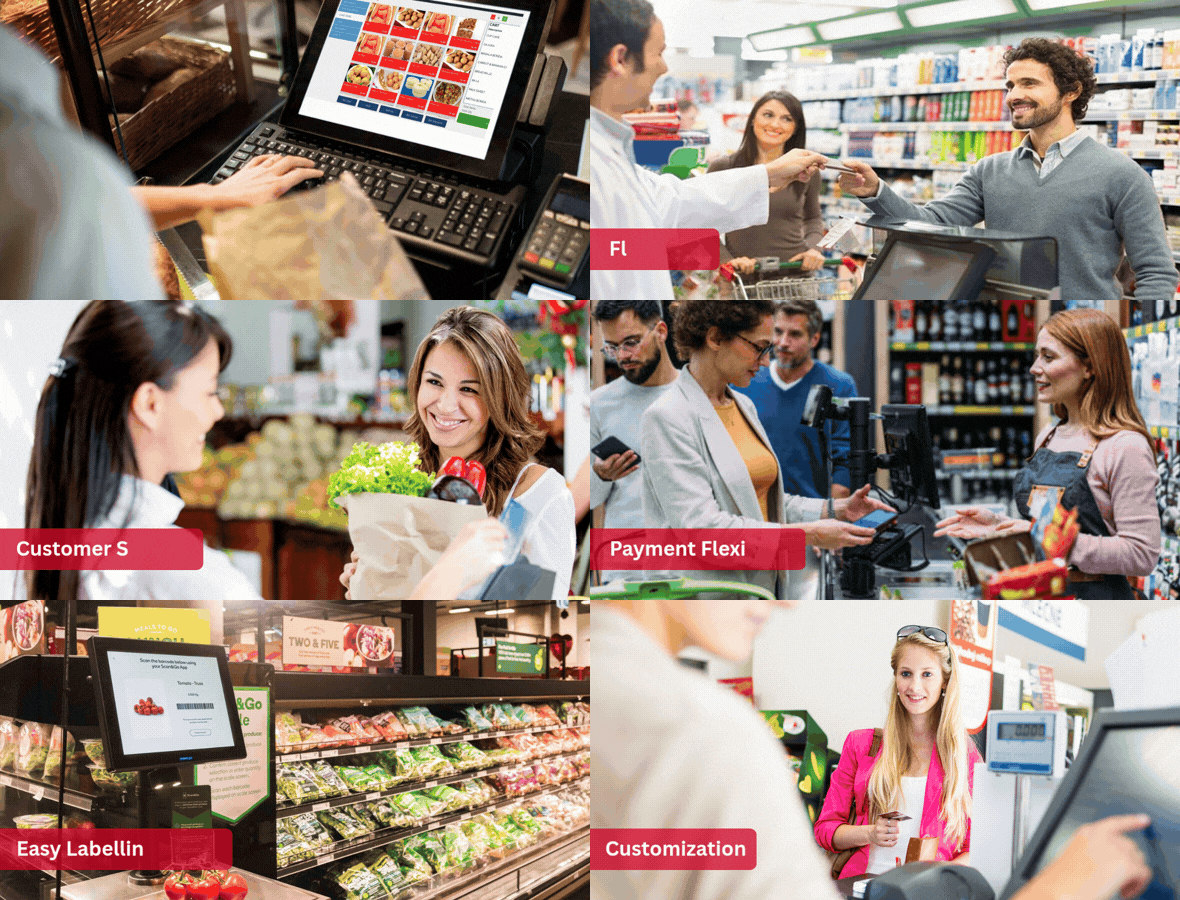
  • Payment flexibility: You can accept payments using various payment options, including cash, credit and debit cards, and checks.
  • Easy labelling setup: Essor’s Labelling and Setup feature allows merchants to create barcode labels for their inventory easily.
  • Customization: With the Essor cloud POS system, you can customise your business in many ways. You can set your currency, time zone, and language—and even create custom tax rules that apply only to customers within a certain region!

Benefits of Using Supermarket Billing software

  • Increase sales and revenue by making it easy for customers to find exactly what they want in your store.
  • Make your customers happy by providing them with information and advice about products they are interested in.
  • Reduce costs by making stock management and ordering easier.
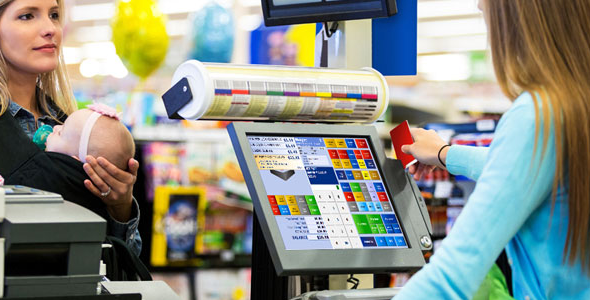
  • Simplify the checkout process by speeding up transactions and reducing errors.
  • Easily access customer data to make better decisions about your business.
  • Make it easier for customers to pay for their purchases by accepting different forms of payment, including cash and credit cards.
  • Manage inventory more effectively by tracking product sales in real-time.

Get your supermarket billing software process automated and scale up your top line!

ERP Integrations

Connect third-party software integrations to Essor to keep your business running smoothly

Frequently asked questions:

Supermarket billing software is used for all supermarkets. Essor Supermarket software allows you to manage all the supermarket activities, including billing and accounting, as well as inventory management—from a single POS system.

A supermarket software is a POS (Point of Sale) system. It lets you track the inventory and sales in real-time. You can use this software to manage your business more efficiently by monitoring each item sold in your store.

There are various types of billing software for supermarket shops available in the market. Before choosing any software, you should consider certain factors such as price, features, and usability. You should also research the different types of supermarket billing software to get an idea about which is best suited for your business needs.

The features of a supermarket software may vary depending on the software, but some common features include: inventory management, barcode scanning, sales tracking, reporting, customer management, and integration with payment systems.

Some benefits of using a supermarket billing software include: increased efficiency and accuracy in the billing process, improved inventory management, better customer service, easier tracking of sales and profits, and reduced human errors.

Most supermarket software is designed to be user-friendly and easy to use, even for those with little to no experience with computer software. However, the ease of use may vary depending on the specific software and the user’s familiarity with technology.

Many supermarket billing software offer customization options, such as adding or removing features, changing the user interface, and modifying reports to fit the specific needs of the supermarket or grocery store.

The cost of a supermarket software can vary widely depending on the software’s features, size, and the number of licences required. Some software may be free, while others may cost thousands of dollars.

Hurry up! Contact us today and get

FREE FIRST CONSULTATION